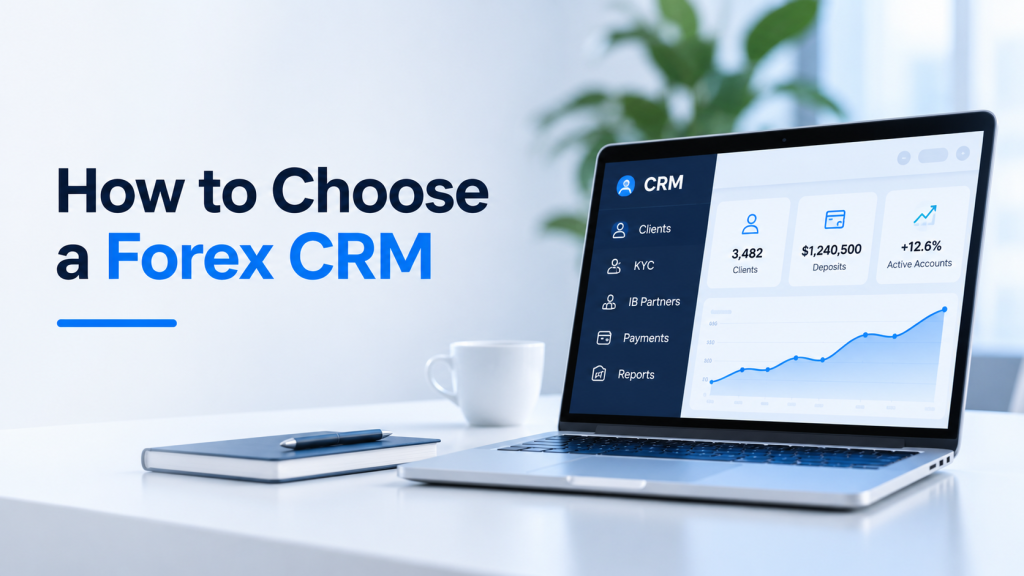
Choosing the wrong forex CRM can leave your brokerage with disconnected trading accounts, delayed client onboarding, and extra costs whenever you need another integration. Changing systems later can be even harder, particularly when client records, payment histories, and Introducing Broker (IB) commissions are already running through the software. Knowing how to choose a forex CRM starts with understanding what your brokerage needs the system to do every day.
A forex CRM does more than store customer contact details. It connects client onboarding, trading accounts, payments, partner management, and back-office operations. Before signing with a provider, you need to check that these functions work with your existing systems and that the contract covers the support your team will need.
This guide gives you the questions to ask, a practical CRM testing checklist, and published pricing examples to help you compare providers.
What Should You Look for in a Forex CRM?
A forex CRM should help your team manage the client journey from registration to trading, deposits, withdrawals, and ongoing support.
The right system depends on your brokerage’s operating model. A new broker with one trading platform may need straightforward onboarding and payment integrations. An established brokerage operating several brands may need more detailed reporting, user permissions, and IB commission management.
Before comparing providers, write down the platforms, payment services, and client-management processes your business already uses or plans to introduce.
Then ask the following questions.
10 Questions to Ask Before Choosing a Forex CRM
1. Which Trading Platforms Does the CRM Connect To?
Start with the trading platforms your brokerage uses.
Ask whether the CRM has an existing integration with MT4, MT5, cTrader, or your chosen trading platform. Don’t accept a general statement that the software supports multiple platforms.
Request a demonstration of account creation, balance updates, trading history, and account administration using the platform you intend to operate.
Also ask whether the integration is already available or requires additional development.
A CRM that works with your trading platform today may still need extra configuration when you introduce another platform or brand.
2. Which Payment Providers Does It Support?
Your clients need to deposit and withdraw funds using payment methods available in their markets.
Ask the CRM provider which payment service providers (PSPs) it already connects to and whether those integrations support your intended payment methods and currencies.
Check how the CRM records deposits, handles withdrawal requests, and displays failed or pending transactions.
For example, if your brokerage serves clients in South Africa, you should establish whether the system supports your selected local payment provider rather than assuming that international card processing is sufficient.
Also ask who maintains the payment integration and whether connecting another PSP attracts an additional fee.
3. How Does the CRM Handle KYC and Client Onboarding?
Know Your Customer (KYC) checks are an important part of client onboarding.
Ask whether the CRM integrates with your preferred identity verification provider and how it handles document uploads, verification results, and applications requiring manual review.
The system should allow authorised staff to see where an application stands and what action is required next.
During the demonstration, ask the provider to show what happens when a client submits an incomplete document or fails an identity check.
You should also establish how records are stored, who can access them, and whether the system supports the retention and review processes required by your business.
A CRM can support compliance procedures, but the relevant regulated business remains responsible for meeting its legal obligations.
4. Does It Have an Introducing Broker (IB) Management Module?
If your brokerage works with Introducing Brokers or affiliates, ask whether the CRM has a dedicated partner-management module.
The module should support the commission arrangements your brokerage intends to use.
For example, you may need to calculate commissions based on trading volume, track referrals across several IB levels, or generate partner statements.
Ask the provider to demonstrate how commissions are calculated, adjusted, approved, and recorded.
Check whether IBs can access their own portal to view referred clients, commissions, and payment history.
If the CRM does not support your commission structure, your team may have to calculate payments outside the system.
5. Which Reports Can the CRM Generate?
Your team needs accurate information about clients, payments, trading accounts, and partner activity.
Ask to see the reports available to sales, finance, compliance, and management teams.
Useful reports may include:
- New registrations and completed KYC checks
- First-time deposits and withdrawal requests
- Active and inactive trading accounts
- Client acquisition and conversion rates
- IB referrals and commission payments
- Transaction histories and account changes
Check whether reports can be filtered by date, brand, country, or account manager.
Also ask whether you can export the data and schedule reports automatically.
A provider may advertise advanced reporting, but the important question is whether the reports contain the information your business actually needs.
6. How Quickly Does Technical Support Respond?
A CRM problem can interrupt client registration, deposits, or account administration.
Ask when technical support is available and how urgent issues are handled.
Does the provider offer support outside normal business hours? Is there an emergency contact? How are unresolved tickets escalated?
Request the service-level agreement (SLA) and check whether it specifies response times for different types of problems.
Response time and resolution time are not the same. A provider may acknowledge a ticket quickly but take much longer to fix the issue.
Ask for both commitments in writing.
7. Can the CRM Support Multiple Brands and Teams?
A CRM that works for one brokerage brand may not be suitable when you expand.
If you plan to operate several brands, ask whether the system can separate client records, reporting, staff permissions, and payment arrangements.
Check whether administrators can restrict access according to employee roles.
For example, a sales representative may need access to assigned leads without having permission to change payment records or IB commission settings.
Ask the provider to demonstrate these permissions rather than relying on a feature list.
8. How Does the CRM Protect Client Data?
Your CRM stores sensitive client information, including identity documents, contact details, and financial transaction records.
Ask how the provider protects this information and controls employee access.
Check whether the system supports multi-factor authentication, activity logs, backups, and data recovery.
You should also ask where client information is hosted, how long it is retained, and what happens to your data if the contract ends.
A useful question is: Can we export our complete client records and transaction history in a usable format if we change CRM providers?
Get the answer in writing.
9. What Is Included in the Quoted Price?
A low monthly subscription does not necessarily mean a low total cost.
Ask whether the quotation includes initial setup, trading platform integrations, payment connections, KYC tools, IB management, reporting, hosting, and technical support.
Find out which features require additional payments.
You should also ask whether fees change when your brokerage adds more clients, administrators, brands, or trading platforms.
The pricing section below shows why comparing the full package matters more than comparing monthly fees alone.
10. What Happens If We Change CRM Providers?
Moving to another CRM can affect client records, trading account connections, payment histories, and IB commissions.
Ask whether the provider offers data exports, migration assistance, and technical documentation.
Find out whether your contract includes a notice period, termination fees, or charges for retrieving data.
You should also establish who is responsible for keeping essential services running during the migration.
The best time to discuss an exit plan is before you sign, not when you are already trying to leave.
How to Test a Forex CRM Before Signing
A product demonstration should show more than a dashboard and a list of features.
Ask the provider for access to a test environment using the trading platform and workflows your brokerage intends to operate.
Run a complete client journey, from registration through account approval, deposit processing, and reporting.
Forex CRM Testing Checklist
Copy this checklist and use it when comparing providers.
- Create a test client and complete the registration process.
- Upload an identity document and test the KYC review workflow.
- Open a trading account and check that it appears correctly in the CRM.
- Test a deposit and withdrawal using a sandbox or test payment environment.
- Register a test IB, assign a referral, and check the commission calculation.
- Generate client, payment, and IB reports, then export them.
- Create staff accounts with different permissions and test access restrictions.
- Submit a technical support ticket and record the response time.
- Export sample client data and check whether the files are usable.
- Request a written quotation covering setup, monthly fees, integrations, support, and termination.
Use the same checklist for each provider.
If an important feature cannot be demonstrated, ask whether it is included in the current product, requires custom development, or is planned for a future release.
Do not treat a promised feature as an existing one.
How Much Does a Forex CRM Cost?
Forex CRM providers use different pricing models. Some charge a one-time setup fee followed by a monthly subscription. Others offer enterprise licences, custom quotations, or additional charges for integrations and support.
Published prices show how widely the cost can vary.
According to FXCRM’s pricing page (read on November 19, 2026), its Lite package lists a $1,500 setup fee and a $400 monthly charge. Its PRO package lists a $3,500 setup fee and a $499 monthly charge.
FXCRM also lists an ULTRA self-hosted package starting at $15,000 upfront, with optional paid technical support.
FXBO lists its Standard CRM package at €2,500 per month and its Unlimited package at €10,000 per month (FXBO pricing page, read on November 19, 2026). The company states that these prices exclude a required one-time onboarding fee.
UpTrader advertises a forex CRM starting at $500 per month for 0–30 traders (UpTrader website, read on November 19, 2026).
These are individual providers’ advertised prices, not L7 Prime quotations or a market-wide average.
| Provider | Published price | Additional consideration |
|---|---|---|
| FXCRM Lite | $1,500 setup + $400/month | Check package limits and included integrations |
| FXCRM PRO | $3,500 setup + $499/month | Confirm the features included in the quoted package |
| FXBO Standard | €2,500/month | One-time onboarding fee excluded |
| FXBO Unlimited | €10,000/month | One-time onboarding fee excluded |
| UpTrader | From $500/month | Advertised entry tier covers 0–30 traders |
The figures are useful for comparison, but the packages are not identical.
One provider may include hosting and basic integrations in its monthly charge, while another may bill separately for additional modules or custom development.
How Do You Calculate the Total CRM Cost?
When comparing quotations, calculate the full first-year expense rather than looking only at the subscription.
Use this formula:
First-year CRM cost = Setup fee + (Monthly fee × 12) + Integration fees + Additional services
For example, a CRM charging $1,500 upfront and $400 per month would cost $6,300 over the first year before any additional charges.
That is a calculation based on FXCRM Lite’s advertised base prices, not a complete quotation for a brokerage.
Before signing, ask each provider to confirm whether the quotation covers the exact platforms, payment providers, client volumes, IB arrangements, and support services you need.
How to Choose a Forex CRM That Fits Your Brokerage
The right forex CRM is the one that supports your brokerage’s actual operating requirements.
A new broker may need reliable onboarding, trading platform connectivity, payment processing, and basic reporting. A larger brokerage may place greater importance on multi-brand management, detailed permissions, IB commissions, and more complex integrations.
L7 Prime is modular. The client picks each piece, for example one of several CRM options and one of several trading platforms.
That gives brokerage owners a way to consider CRM selection alongside the other systems their business needs.
Your first step is to list your required trading platforms, payment providers, KYC processes, IB arrangements, and reports. Use that list to test potential CRM providers, then request a written quotation showing every setup fee, recurring charge, integration cost, and support commitment.
See how L7 Prime approaches CRM selection and integration on its Forex Broker CRM page.